

Point your camera at any piece of furniture.
FirstCutAI tells you how to build it, what it's worth, or where it belongs. One photo becomes a woodworker's cut list, a three-tier appraisal, or a designer's style match.
A smart first cut, from a single photo.
The tilde in our logo means "approximately," and that's the whole promise. FirstCutAI reads one photograph and gives you a real head start: a cut list to build from, a valuation to negotiate with, a style match to design around. It's an honest estimate, not an engineered spec or a certified appraisal. And when the app isn't sure, it says so, instead of guessing. That's why it's called FirstCutAI: it helps you make your first-cut decisions before you commit.
Saw a $3,400 sideboard and thought "I want to build that"?
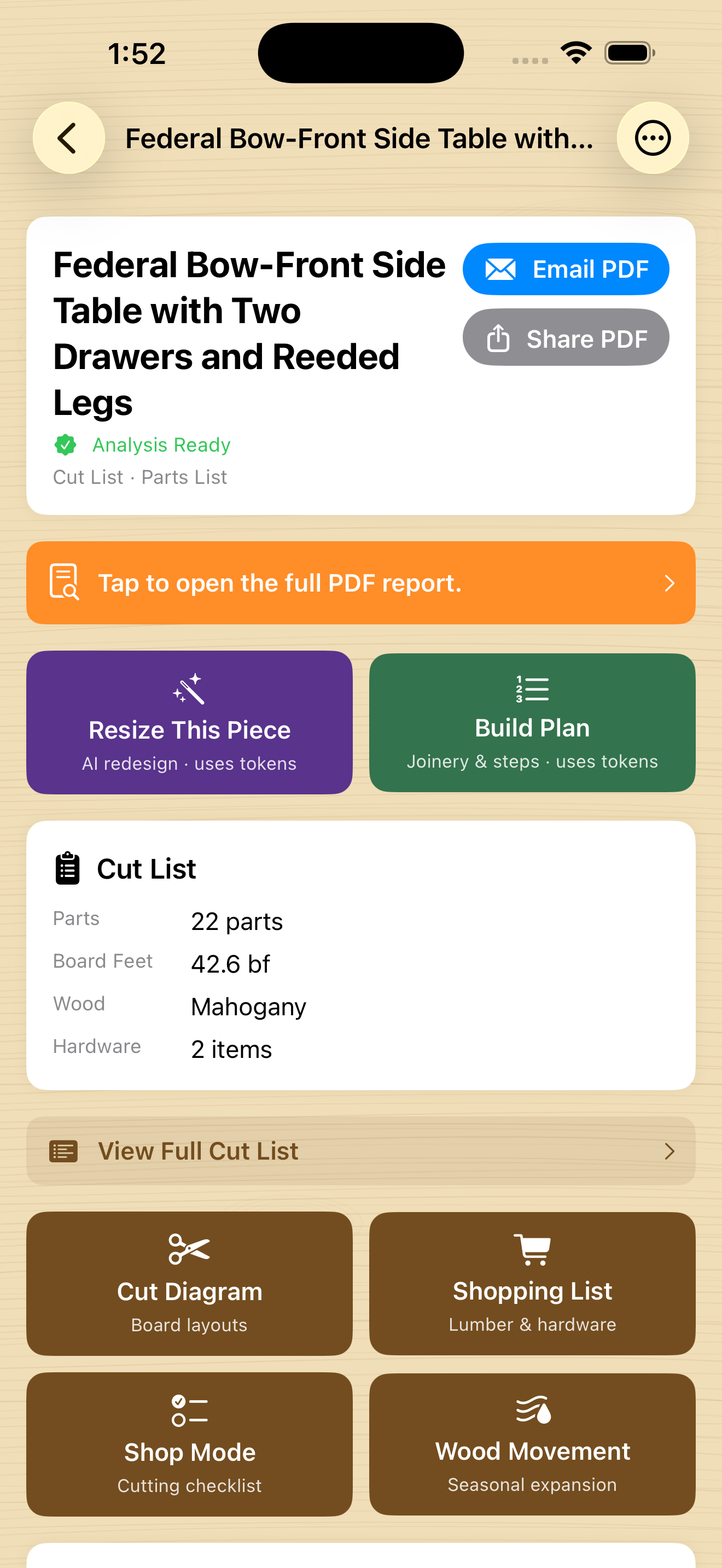
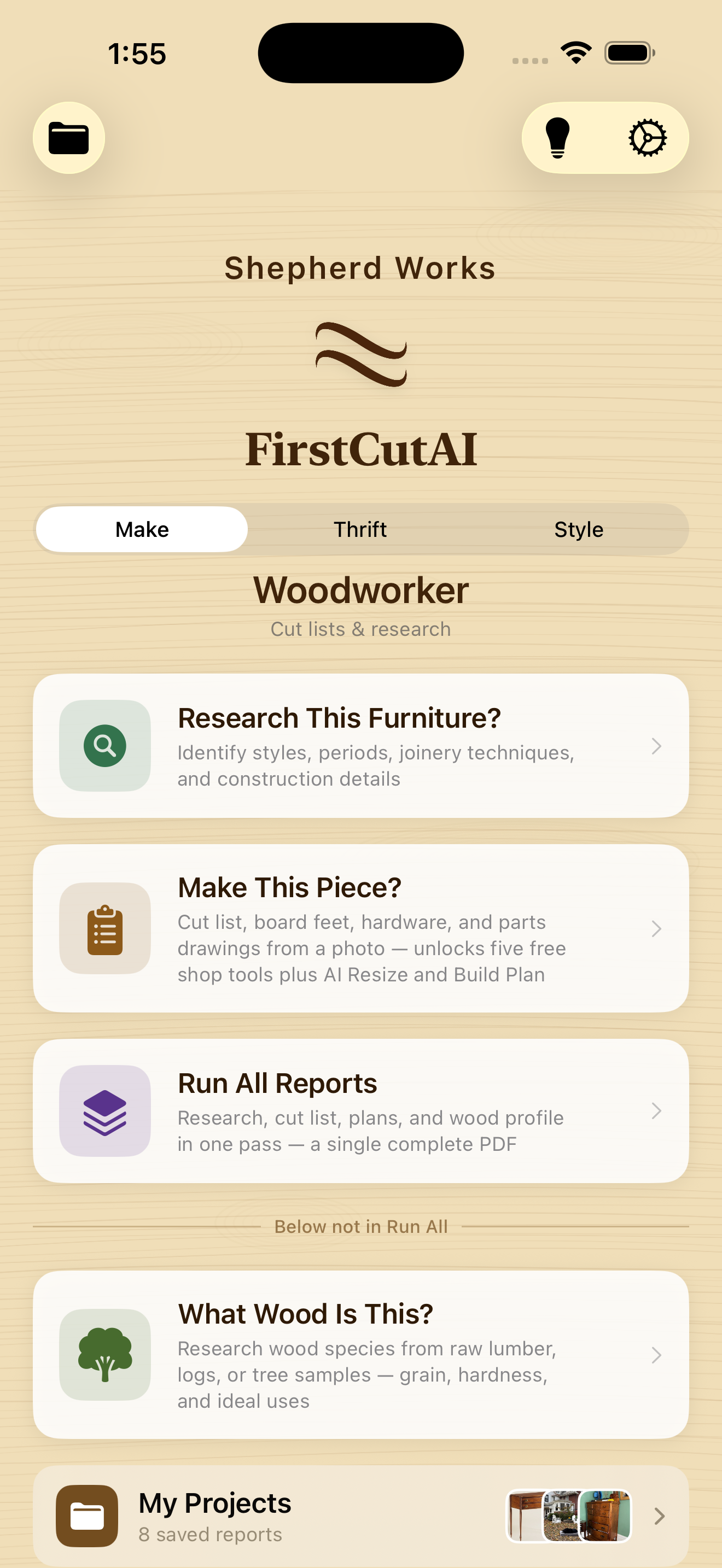
Photograph any piece and get a complete cut list: finished dimensions for every part, board-feet totals with waste factored in, rough-stock thickness in quarter notation, a hardware list with suppliers, regional lumber pricing, scaled part drawings, and a finishing schedule matched to the finish in your photo. Enter exact dimensions by hand, or measure the piece in augmented reality with your camera.
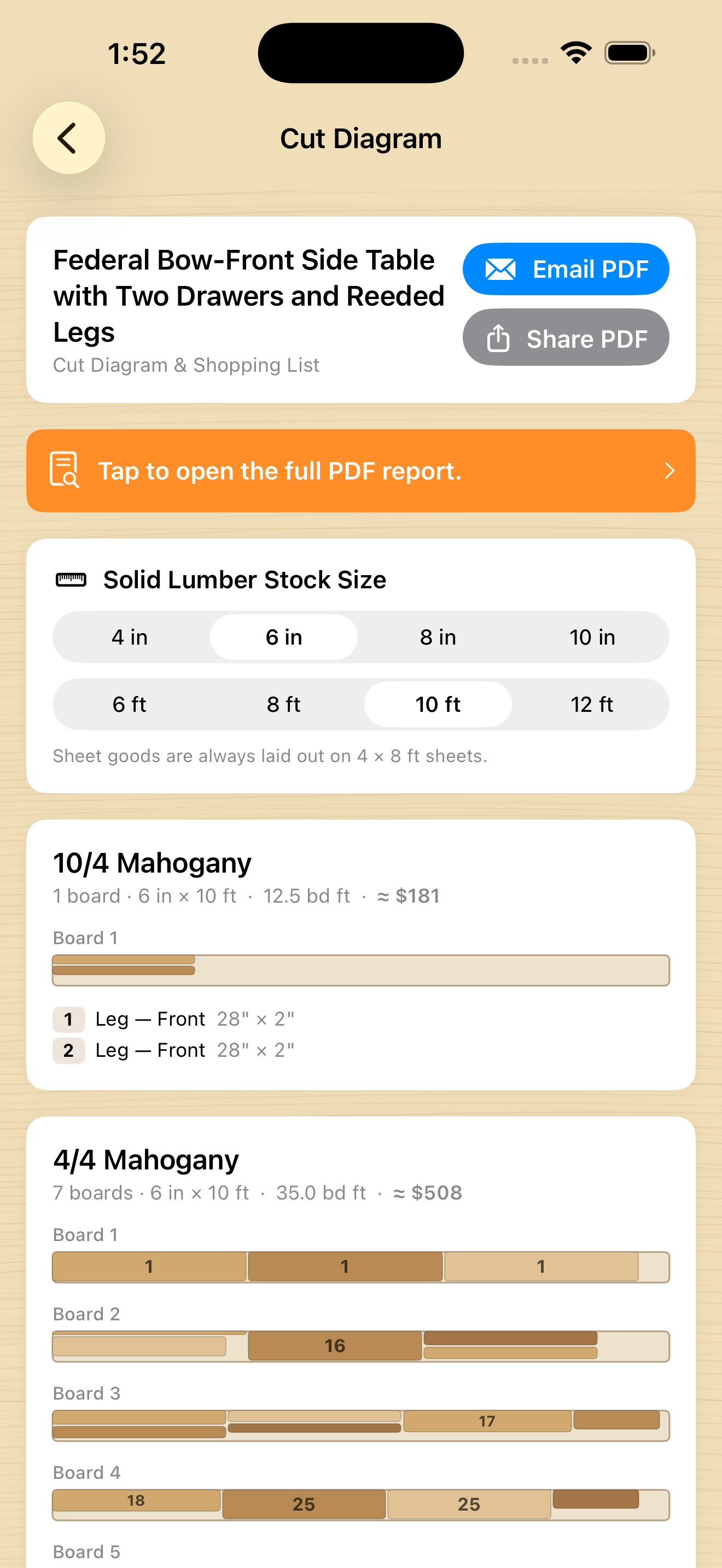
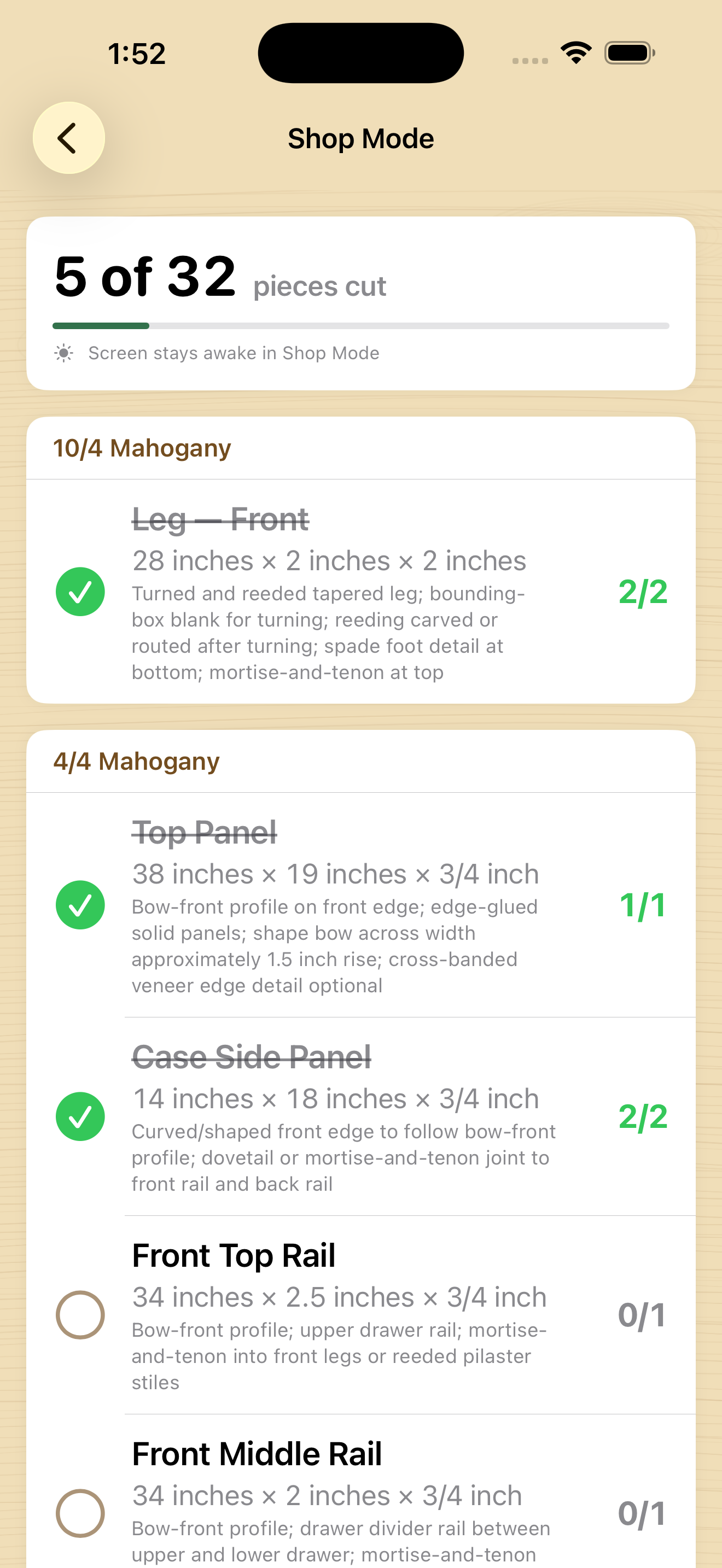
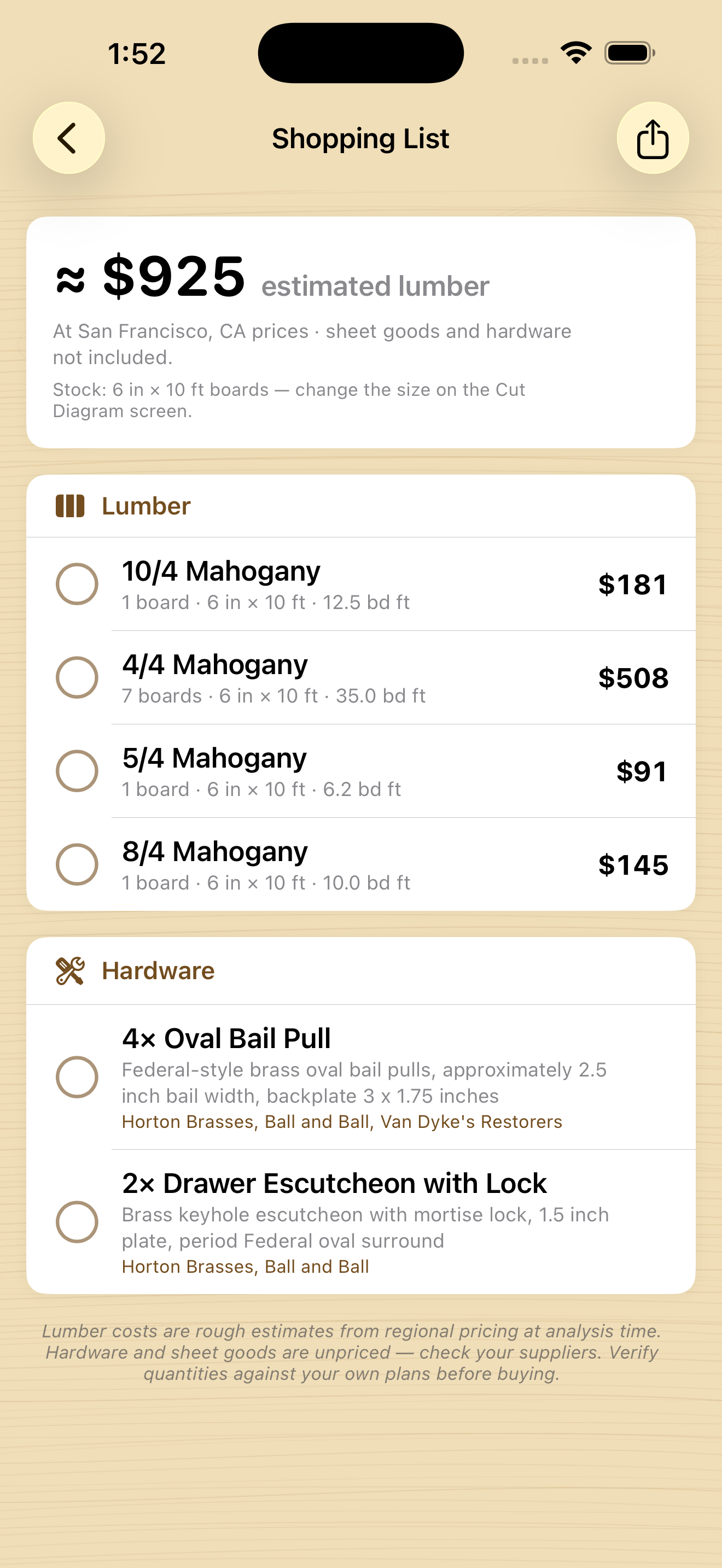
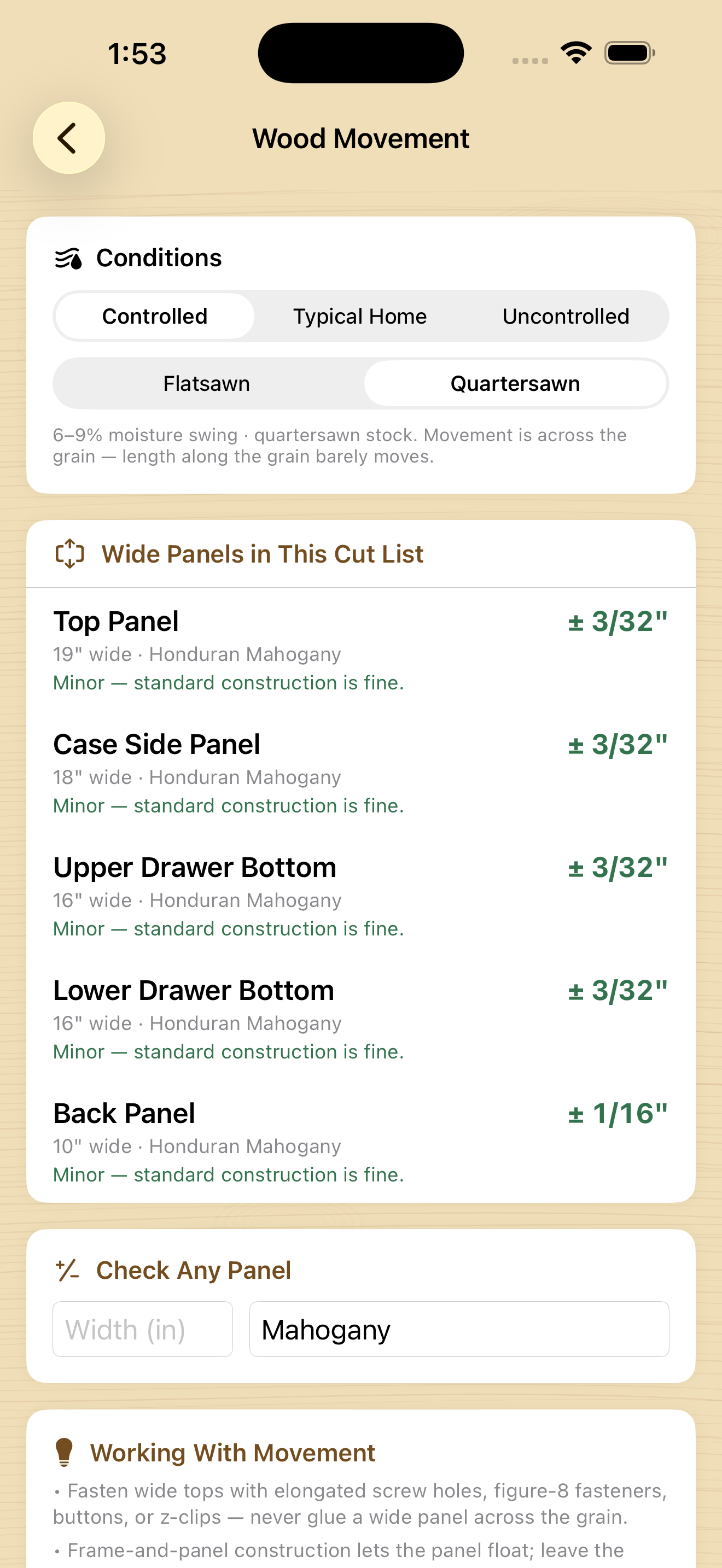
Every cut list unlocks five free shop tools: Cut Diagram packs your parts onto real boards, Shopping List is a check-it-off buy list for the yard, Shop Mode is a big-type cutting checklist that keeps your place, Wood Movement flags any wide panel that could crack, and Finishing Schedule lays out coats, grits, and products.
- Resize This Piece re-engineers the whole design to your target dimensions.
- Build Plan writes the joinery and a step-by-step build order for your skill level.
- Research a piece's style and period, or identify a living tree or a rough board.
- My Projects saves every report automatically, to reopen and re-export free.
Now you know what the dealers know.
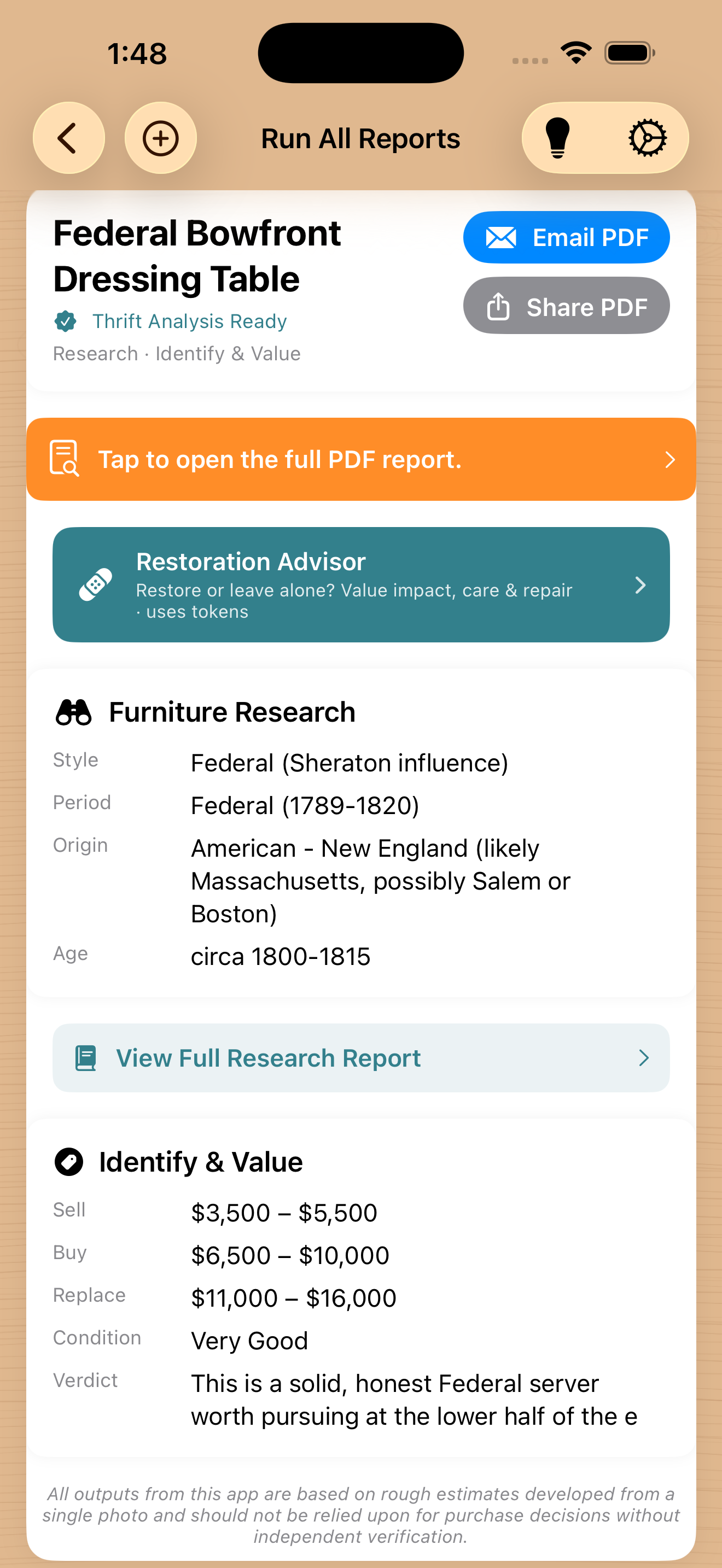
Point your camera at a piece in a shop or at an estate sale and get an identification, a condition grade, and a three-tier valuation in the Antiques Roadshow model: what you'd net selling it, what a dealer would charge, and what it would cost to replace. Enter the asking price for a straight verdict, Bargain, Fair, or Too High, with a suggested counter-offer.
Guided Inspection walks you station by station and teaches you the tells: ghost outlines mean replaced hardware, fine crazing means an original finish, irregular dovetails mean hand-cut. You can also measure a piece in AR before appraising, and the true dimensions sharpen both the identification and the value.
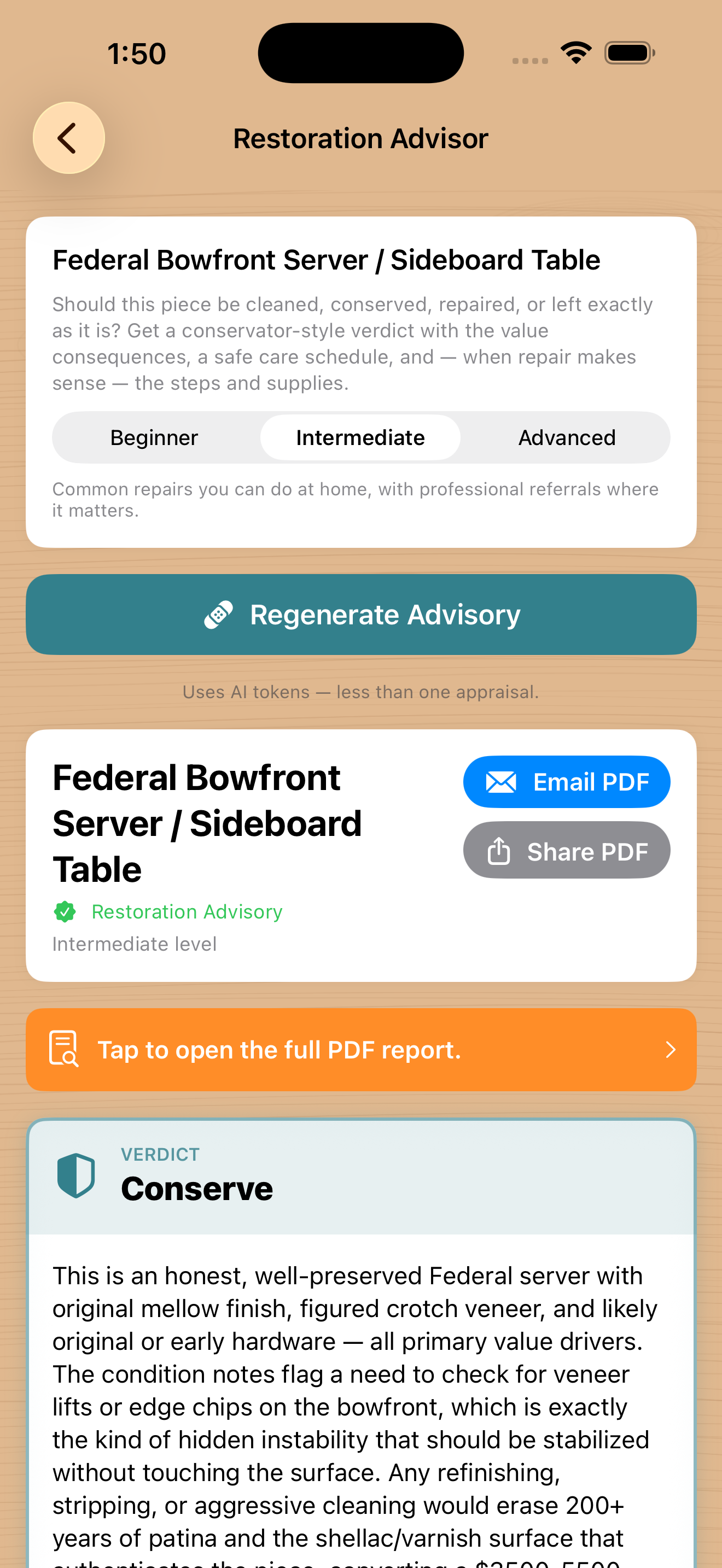
Before you sand, scan. The first rule of antiques is that original surfaces and patina often ARE the value, and the wrong restoration destroys it. The new Restoration Advisor gives you a conservator-style verdict, from Leave As-Is to Refinish, with the effect on all three value tiers, an "Is It Worth It?" cost check, and a patina-safe care schedule.
Match the piece to the place.
Photograph a house and get its architectural style, the furniture styles that complement it, and the wood species that belong on its floors, trim, and furniture. Photograph a piece to find the rooms it fits. Name or photograph a wood species for a full profile: grain, hardness, workability, finishing notes, and the styles that have always favored it.
Five free shop tools with every cut list.
Computed on your device from the analysis you already paid for. Open them as often as you like, on live results or saved projects, without ever spending a token.
Cut Diagram
Your parts packed onto real boards, kerf and glue-up strips handled, with a board count and cost.
Shopping List
The buy list for the yard, priced by region, with check-offs that persist and a plain-text export.
Shop Mode
A big-type cutting checklist that keeps the screen awake and remembers your progress.
Wood Movement
Seasonal cross-grain expansion for every wide panel, climate and grain aware, with a calculator.
Finishing Schedule
Coats, grits, and products matched to the finish in your photo, readable at the bench.
Honest by design.
When it isn't sure, it says so.
Low-confidence wood IDs are withheld, not guessed. The app coaches a better photo instead of handing you pricing built on a shaky identification.
Your photos are private.
No ads. No tracking. No analytics SDKs. Photos are processed only to generate your report and are never used to train AI.
A starting point, not the final word.
Every report carries a verify-before-you-act note. Check dimensions before you cut, and inspect any valuable piece in person.
New in Version 2.0.
If you last used FirstCutAI at version 1.6, almost everything here is new. The whole My Projects library, all five free shop tools, AR measuring, Resize, and Build Plan did not exist before, and an upgrade to Claude Sonnet 5 brings sharper, higher-resolution vision across every mode.
For woodworkers
- My Projects auto-save library
- Cut Diagram, Shop Mode, Shopping List, Wood Movement
- Finishing Schedule as a full shop tool
- Resize This Piece and Build Plan
- Measure with Camera (AR)
- Full on-screen Cut List and Research reports
For thrifters
- Restoration Advisor with value impact
- Guided Inspection, a station-by-station walkthrough
- Measure with Camera to sharpen appraisals
- Sharper Claude Sonnet 5 vision
- A rebuilt My Projects with grouping and quick actions
From photo to report in one tap.
Snap a photo
Any piece, tree, or board, or pick one from your library.
Choose your mode
Make, Thrift, or Style. Tap Run and FirstCutAI reads the image.
Work from the result
On screen, in a professional PDF, or with the free shop tools. Everything saves automatically.
Free to start
free tokens on sign-in with Apple. The five shop tools, Guided Inspection, and reopening projects are always free.
Starter & Value packs
60,000 tokens (about 4 Run Alls) or 180,000 tokens (about 10). Purchased tokens never expire.
Annual subscription
180,000 tokens per subscription year. Cancel any time in iOS Settings.
Questions, answered.
Is the appraisal a real appraisal?
No, and the app says so plainly. Every result is an AI estimate from one photo: a smart starting point. For a piece of significant value, inspect it in person and consult a professional appraiser.
Can I rely on the cut list to order lumber?
Use it as a planning framework and verify every dimension against the actual piece before you cut. Manual dimensions or the AR Measure with Camera tool make it more precise.
What do tokens cost, and what's free?
You start with 30,000 free tokens. A single analysis typically uses 3,000 to 8,000; Run All uses roughly 10,000 to 20,000. The five shop tools, Guided Inspection, browsing My Projects, and regenerating PDFs never cost tokens. Refills: Starter Pack 60,000 tokens for $4.99, Value Pack 180,000 for $14.99, or the Annual Subscription for 180,000 tokens a year at $9.99.
Do you train AI on my photos?
No. Photos are processed solely to generate your report, and Anthropic's API terms prohibit training on customer data. The app has no ads and no tracking.
Does it work on my Mac?
The Mac app is in beta on Apple Silicon Macs. You'll pick photos from your library instead of using the camera, and there's no AR measuring, but everything else works.
Where are my saved projects kept?
On your device only. They don't sync between devices and are removed if you delete the app, so export the PDF for anything you want to keep permanently.
Your next build, better buy, or best room starts with one photo.
FirstCutAI is a product of Shepherd Works, a division of 214 Innovation & Development LLC. Every result is an AI estimate from a single photo and should be used as a guide only. Verify dimensions before building and inspect any piece in person before buying. Powered by Anthropic's Claude with vision. No ads, no tracking.